
Low Vision Aids: Complete Guide To Choosing Devices
Discover essential tools and technologies that empower individuals with low vision to maintain independence and improve daily functioning.
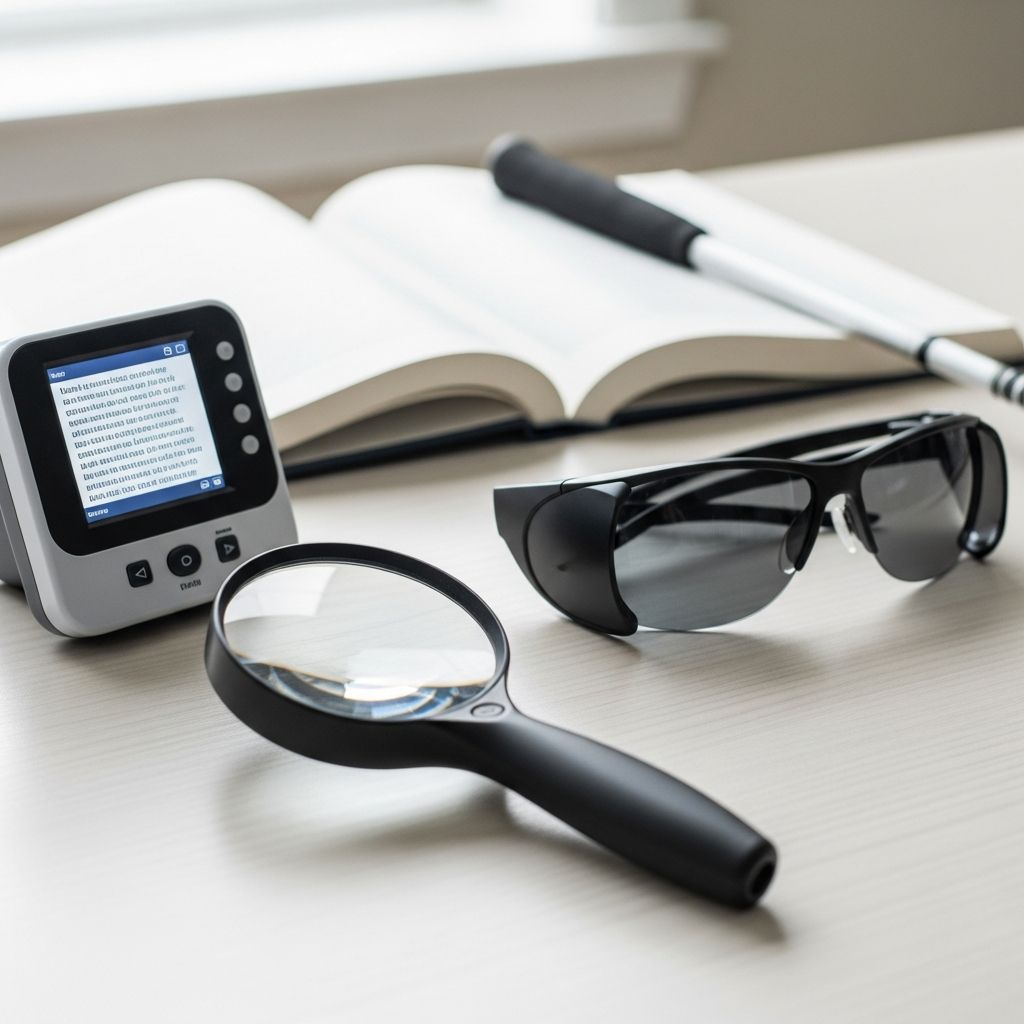
Low vision affects millions worldwide, stemming from conditions like macular degeneration, glaucoma, or diabetic retinopathy. These aids—ranging from simple optical tools to sophisticated electronic systems—help maximize remaining vision, fostering greater autonomy in reading, mobility, and everyday tasks. This guide details key categories, specific devices, and practical applications to support informed choices.
Understanding Low Vision and the Role of Assistive Devices
Low vision refers to significant visual impairment not fully correctable by standard glasses, contacts, surgery, or medication. It impacts central vision, peripheral fields, contrast sensitivity, or light perception. Assistive devices bridge these gaps by enlarging images, boosting contrast, or converting visuals to audio.
Devices fall into three primary categories: optical (lenses-based), non-optical (lighting and positioning aids), and electronic (digital enhancement tools). Selection depends on tasks like reading, distance viewing, or computer use, individual vision profiles, and lifestyle needs.
Optical Magnification: Traditional Yet Effective Tools
Optical aids use lenses to enlarge images without power sources, offering portability and affordability. They suit spot reading or spotting distant objects.
- Handheld and Stand Magnifiers: Versatile for labels, menus, or medications. Illuminated models like Mobilux provide LED lighting for better contrast. Aspheric lenses in devices like easyPOCKET minimize distortion.
- Telescopes and Telescopic Glasses: Binocular Galilean systems for distance tasks such as watching TV or recognizing faces. Full-diameter or bioptic versions mount on regular glasses for hands-free use.
- Prismatic and Reading Glasses: High-power options like MiniFrame Bifo combine segments for varied focal lengths, ideal for mixed near-far needs.
These tools excel in low-cost scenarios but may cause fatigue from prolonged hand-holding or narrow fields of view.
Non-Optical Aids: Enhancing Visibility Without Lenses
Non-optical solutions improve lighting, contrast, or ergonomics, complementing optical devices.
- Lighting and Filters: Absorptive lenses or clip-on Solar Shields block glare and UV, enhancing contrast. Yellow-tinted glasses filter blue light for sharper visuals.
- Positioning Tools: Swivel mirrors with 10x magnification aid grooming; typoscopes mask excess text to focus on lines.
- Daily Living Adaptations: Liquid level indicators like Say When prevent spills; big-button phones with flashing lights and talking features simplify communication.
These promote safety and efficiency in kitchens, bathrooms, and offices without magnification dependency.
Electronic Devices: Advanced Digital Solutions
Electronic aids deliver superior magnification, contrast control, and portability, though at higher costs. They integrate cameras and screens for flexible viewing.
| Device Type | Key Features | Best For |
|---|---|---|
| Portable CCTV like Optelec Traveller HD | HD camera, snapshot memory, large buttons | Mobile reading, travel |
| Desktop Video Magnifiers | Adjustable zoom, color inversion, brightness | Prolonged document work |
| Screen Readers (JAWS, NVDA, VoiceOver) | Text-to-speech, navigation | Computer/smartphone access |
Combined tools like Fusion merge magnification with audio feedback, reducing eye strain for progressive conditions.
Smart Technology Integration for Modern Lifestyles
Voice assistants and apps transform smartphones into multifunctional aids. Siri, Google Assistant, and Alexa handle queries, control homes, or read screens via built-in features like TalkBack or Select-to-Speak.
Related Stories



- Object recognition with Google Lens identifies surroundings.
- Talking clocks and watches announce time audibly.
- High-contrast keyboards and large-print labels for tech interfaces.
These foster independence in education, work, and leisure, with free or low-cost options widely available.
Mobility and Orientation Aids
For safe navigation, specialized canes and head-borne devices matter. Rolling marshmallow tips on white canes provide tactile feedback; prisms expand peripheral awareness.
Side-vision glasses and minifiers reduce tunnel vision effects, crucial for street crossing or driving previews via bioptics.
Choosing the Right Aid: Factors and Professional Guidance
Consult low vision specialists for trials—eye care pros assess via functional tests. Consider:
- Vision Profile: Central loss favors magnifiers; field loss needs prisms.
- Task Specificity: Near work vs. distance.
- Portability vs. Power: Handhelds for outings; desktops for home.
- Cost and Training: Start simple, scale up.
Training ensures optimal use; rehab services like Helen Keller’s offer personalized fittings.
Pediatric Considerations: Aids for Children
Youth require lightweight, engaging devices. Extra-short monocular telescopes shrink distances for play or school; colorful canes build confidence. CCTVs suit severe cases but prioritize portables for activity.
Future Innovations in Low Vision Technology
AI-driven apps, wearable magnifiers, and augmented reality glasses promise expanded fields and real-time enhancements. Hybrid systems evolve to blend visual-audio cues seamlessly.
Frequently Asked Questions (FAQs)
What is the best magnifier for reading small print?
Stand magnifiers or video models offer fatigue-free options; test powers with a specialist.
Are low vision aids covered by insurance?
Medicare and private plans often reimburse via low vision codes; check providers.
Can I drive with bioptic telescopes?
Yes, in many states after training and licensing; consult DMV regulations.
How do screen readers work on phones?
They vocalize gestures and text; enable via accessibility settings like VoiceOver.
Where to buy low vision devices?
Optometrists, rehab centers, or specialists like Eschenbach; avoid unverified online sellers.
Integrating these aids transforms challenges into manageable routines, promoting active lives. Pair with vision rehab for holistic benefits.
References
- Low Vision Aids & Devices — Low Vision Arizona. 2023. https://www.lowvisionarizona.com/low-vision-optometrist/low-vision-aids-devices-and-glasses/
- Low Vision Aids – Helen Keller Services — Helen Keller Services. 2024. https://www.helenkeller.org/low-vision-services/
- Assistive Devices and Technology — Prevent Blindness Advocacy. 2023. https://advocacy.preventblindness.org/assistive-devices-and-technology/
- A to Z of Assistive Technology for Low Vision — Perkins School for the Blind. 2024. https://www.perkins.org/resource/z-assistive-technology-low-vision/
- Assistive Technology & Low Vision — Eye Care of Rigby. 2023. https://eyecareofrigby.com/vision-care-tips/assistive-technology-for-low-vision/
- Low vision devices for children — PMC (NIH). 2007-04-27. https://pmc.ncbi.nlm.nih.gov/articles/PMC1906924/
- Assistive Technology for Blind and Low Vision Users — Vispero. 2024. https://vispero.com/resources/assistive-technology-blind-low-vision/
Similar Articles








Read full bio of Sneha Tete