
Typing and Tapping Despite Hand Pain: Managing Tech-Related Injuries
Learn how to manage hand pain while continuing to type and tap on digital devices safely.
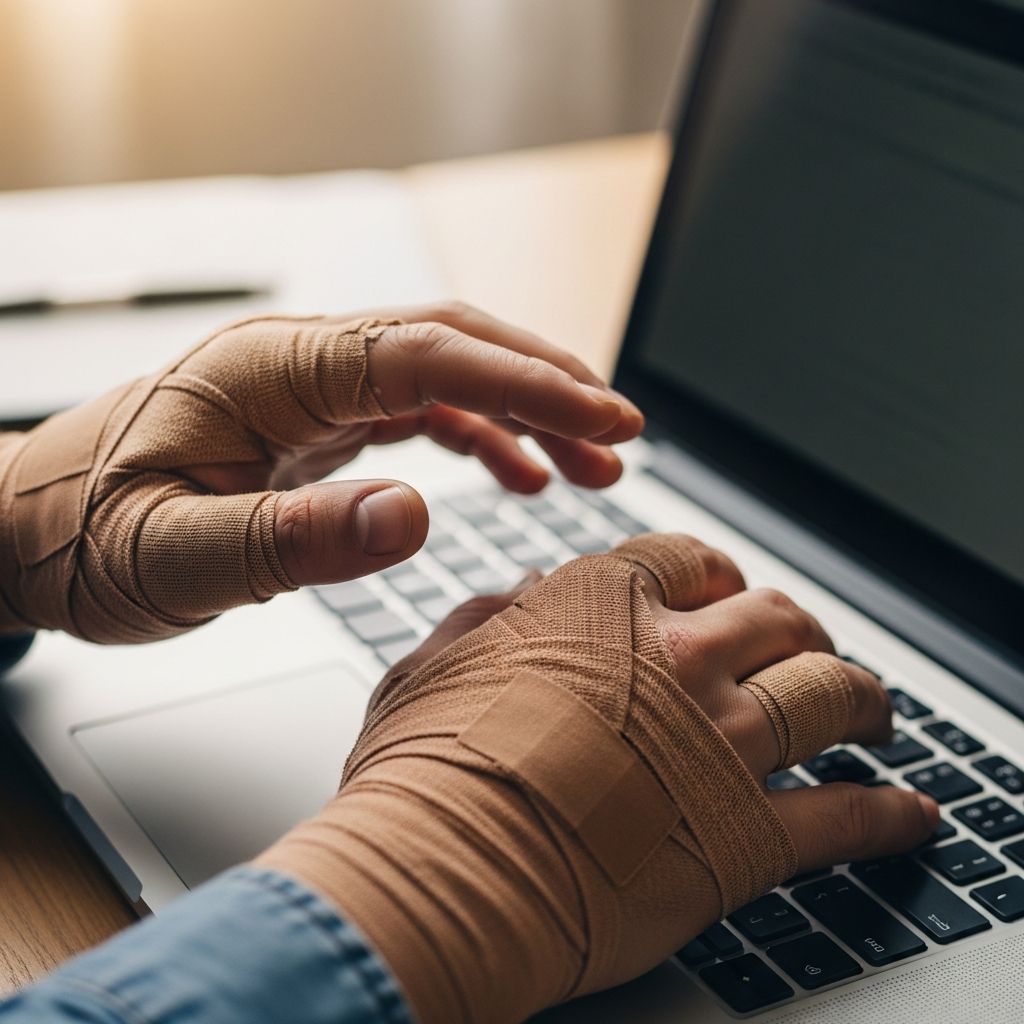
Understanding Hand Pain from Typing and Tapping
In today’s digital age, most of us spend significant portions of our day typing on keyboards, tapping on mobile devices, or engaging in similar repetitive hand motions. While these activities are often necessary for work and communication, they can lead to various hand and wrist injuries. The challenge many people face is continuing to work and communicate while managing the pain that develops from these activities. Understanding the causes of hand pain and learning effective management strategies can help you maintain productivity while protecting your hands.
The relationship between technology use and hand injuries is complex. The repetitive nature of typing, texting, swiping, and scrolling creates stress on the delicate structures of the hand and wrist. Over time, this accumulated stress can lead to inflammation, pain, and reduced mobility that interferes with daily activities.
Common Hand and Wrist Injuries from Typing and Tapping
Several distinct conditions commonly develop from excessive typing and tapping activities. Recognizing these injuries is the first step toward effective management.
De Quervain’s Tenosynovitis (Texting Thumb)
De Quervain’s tenosynovitis, also known as “texting thumb” or “mommy’s thumb,” involves swelling of the tendons around the base of the thumb. This condition occurs when the slippery tissue layer covering these tendons becomes irritated due to repetitive strain, causing friction and discomfort. The pain typically worsens with thumb and wrist movements, particularly during texting or pinching motions.
Trigger Finger
Trigger finger, or stenosing tenosynovitis, develops when the tendons of the fingers become inflamed and swollen. The affected finger may catch or lock in a bent position, creating a characteristic jerking or popping sensation. This condition often affects the thumb, ring finger, or little finger and may be accompanied by a clicking sound and pain at the base of the affected digit. The inflammation prevents the tendon from gliding smoothly through the pulley system that guides finger movement.
Carpal Tunnel Syndrome
Carpal tunnel syndrome involves pressure on the median nerve as it passes through the carpal tunnel at the wrist. This nerve connects to the thumb, index, and middle fingers. While research suggests that typing alone does not necessarily cause carpal tunnel syndrome, the condition can be exacerbated by repetitive typing and may produce symptoms that become noticeable during work. The numbness, tingling, and weakness associated with this condition can make it difficult to continue typing.
Cubital Tunnel Syndrome (Cell Phone Elbow)
Cubital tunnel syndrome, commonly called “cell phone elbow,” involves compression of the ulnar nerve in the arm. This condition develops when the elbow is bent at an acute angle for extended periods, such as when holding a phone to the ear. Symptoms include numbness or tingling in the ring and pinky fingers, along with pain and weakness stemming from nerve compression.
How to Continue Typing and Tapping While Managing Pain
The good news is that you don’t necessarily have to stop typing and tapping entirely. Instead, implementing strategic modifications and management techniques can help you maintain your productivity while allowing your hands to heal and adapt.
Ergonomic Modifications
Proper ergonomics form the foundation of pain management while continuing to type. Your workstation setup significantly influences hand and wrist stress. Position your keyboard so your wrists remain in a neutral position, not bent upward or downward. Your elbows should be at approximately 90 degrees when typing. Consider using ergonomic keyboards or wrist supports designed to maintain proper alignment.
The height of your desk and monitor also matters. Your screen should be positioned at eye level to prevent slouching or neck strain that can contribute to hand and wrist problems. Taking frequent breaks to adjust your position helps prevent the cumulative strain that leads to injury.
Pacing and Break Strategy
One of the most effective approaches to managing hand pain while continuing to type is implementing a structured break schedule. Rather than typing continuously for hours, try working in intervals with regular rest periods. For every 20-30 minutes of typing, take a 5-10 minute break where you completely rest your hands. During these breaks, avoid using your hands or holding your phone.
Micro-breaks throughout your workday are particularly important. Even brief moments of rest allow your tendons and nerves to recover from the stress of repetitive motion. These intervals provide the same benefit that typewriters once offered through the need to reset pages and feed new sheets—natural pauses in the work process.
Switching Input Methods
Varying how you input information can reduce stress on specific hand structures. Voice-to-text technology represents an excellent alternative that eliminates finger and hand stress entirely. By dictating messages and documents instead of typing them, you significantly reduce the repetitive strain on your hands while maintaining productivity.
When you must type, consider alternating between different input methods. Using voice commands, touch controls, or stylus input on devices can distribute the stress across different muscle groups and structures rather than concentrating it in your fingers and wrists.
Stretching and Conditioning
Regular stretching of your wrists, fingers, and forearms helps maintain flexibility and prevent stiffness. Simple stretches performed several times daily can significantly improve hand pain. Try extending your arm straight out, palm down, and gently pressing the back of your hand downward with your other hand. Hold this stretch for 15-30 seconds. Repeat with your palm facing up, gently pressing your fingers back toward your body.
Wrist circles, finger flexion and extension exercises, and gentle rotational movements also help maintain mobility. The key is consistency—treating your hands like athletes who need regular conditioning and stretching to perform optimally.
Treatment Approaches for Hand Pain
When pain develops, several treatment options can help you continue your work while managing symptoms effectively.
Conservative Treatment
Most hand and wrist injuries from typing respond well to conservative treatment approaches. The RICE protocol—Rest, Ice, Compression, and Elevation—provides immediate symptom relief. Applying ice for 15-20 minutes several times daily reduces inflammation. Compression through wrapping or specialized sleeves limits swelling, while elevation above heart level when resting helps drainage.
Nonsteroidal anti-inflammatory medications can help manage pain and inflammation, allowing you to continue your activities while healing progresses. Wrist splints and finger splints immobilize the affected structures during rest periods, preventing further strain and supporting recovery.
Physical Therapy and Professional Treatment
A physical therapist can develop a customized exercise program addressing your specific condition and limitations. Massage therapy, particularly therapeutic massage focused on forearm muscles and tendons, can help reduce tension and improve circulation. Many people find that combining multiple approaches—such as massage, controlled exercise, and activity modification—produces the best results.
Medical Interventions
For conditions like trigger finger that don’t respond to conservative treatment, steroid injections can reduce inflammation and resolve symptoms. These injections target the inflamed tendon and surrounding tissue, often providing significant relief. In cases where conservative treatment and injections prove insufficient, surgical options exist to address structural problems, such as releasing constricted pulleys in trigger finger or decompressing nerves in carpal or cubital tunnel syndrome.
Prevention Strategies
Preventing hand and wrist injuries is far preferable to managing them after they develop. Implementing preventive measures protects your hands while maintaining your ability to work productively.
Workspace Optimization
Invest time in setting up an ergonomically sound workspace. This might include an adjustable desk, an ergonomic keyboard and mouse, monitor risers, and a supportive chair. These investments pay dividends by preventing injuries before they start.
Communication Tool Selection
For phone calls, particularly long ones, use headphones or a headset rather than holding your phone to your ear. This simple change prevents the acute elbow bending that causes cubital tunnel syndrome. Similarly, positioning your phone at a comfortable height and distance when typing reduces wrist strain.
Activity Diversification
Avoid spending entire days performing identical repetitive motions. Varying your activities distributes stress across different muscle groups and structures. Alternating between typing, voice input, phone calls, and other tasks prevents the concentrated strain that leads to injury.
Regular Hand Care
Treat your hands as valuable tools requiring consistent maintenance. Regular stretching, appropriate breaks, and attention to early warning signs of pain or discomfort help prevent serious injuries from developing. Many people find that spending just a few minutes daily on hand and wrist care dramatically reduces their risk of developing problems.
Recognizing When to Seek Professional Help
While many hand and wrist injuries can be managed through self-care and ergonomic modifications, certain symptoms warrant professional evaluation. Persistent pain lasting more than a few weeks, numbness or tingling that doesn’t improve with rest, loss of grip strength, or visible swelling should prompt a visit to your healthcare provider or a hand specialist.
A healthcare professional can provide an accurate diagnosis, recommend appropriate treatment, and help you develop a plan that allows you to continue working while your condition improves. Early intervention often prevents minor issues from becoming serious problems that significantly impact your ability to work.
The Importance of Adaptation Over Cessation
Many people facing hand pain from typing believe they must stop all hand use entirely to heal. However, complete cessation often isn’t necessary or even helpful. Research and clinical experience demonstrate that strategic continuation of activities with appropriate modifications, combined with proper treatment and rest, typically produces better outcomes than complete immobilization.
The key is finding the right balance between continuing necessary activities and protecting your hands from further strain. This might mean reducing typing time while gradually increasing it as pain improves, using voice-to-text for routine messages while reserving typing for essential work, or implementing frequent breaks and stretches throughout your workday.
Frequently Asked Questions
Q: Can I continue typing if I have carpal tunnel syndrome?
A: Yes, with modifications. Proper ergonomics, frequent breaks, stretching, and potentially wearing a wrist splint can allow you to continue typing while managing symptoms. If symptoms are severe, you may need to reduce typing time temporarily while pursuing treatment.
Q: How long does it typically take for typing-related hand pain to improve?
A: Recovery time varies depending on the specific condition and severity. Many cases improve within several weeks to a few months with appropriate treatment and activity modification. More severe cases may require several months of consistent care.
Q: What’s the most effective way to prevent hand pain from typing?
A: A combination of ergonomic workspace setup, regular stretching, appropriate breaks, and activity variation provides the most effective prevention. Addressing these factors before pain develops is more effective than treating injuries after they occur.
Q: Should I wear a wrist brace while typing?
A: Wrist braces can be helpful, particularly during rest periods and in the early stages of injury. However, prolonged bracing can weaken hand muscles, so use should be strategic and combined with appropriate exercises.
Q: Is surgery necessary for hand pain from typing?
A: Most typing-related hand injuries respond to conservative treatment and don’t require surgery. Surgery is typically considered only when conservative approaches fail after several months of consistent treatment.
Q: Can voice-to-text completely replace typing for those with severe hand pain?
A: For many people, voice-to-text can handle a significant portion of communication and work tasks. However, some work may still require typing, in which case careful pacing and ergonomic optimization remain important.
References
- Texting and Typing: Common Hand and Wrist Injuries — Hand and Wrist Institute. Accessed 2025. https://handandwristinstitute.com/blog/texting-and-typing-common-hand-and-wrist-injuries/
- Typing and Carpal Tunnel — Summit Orthopedics. 2016. https://www.summitortho.com/2016/10/12/typing-carpal-tunnel-video/
- Wrist and Hand Pain: Symptoms, Causes, and Prevention — Iodex. Accessed 2025. https://www.iodex.co.in/treatment-by-pain-type/finger-wrist-pain/
- Hurting Hands — Harvard Magazine. 1998. https://www.harvardmagazine.com/1998/05/hurting-hands
- Editors Note: Nick of Time — The Harvard Crimson. 1999. https://www.thecrimson.com/article/1999/5/6/editors-note-nick-of-time-pdoes/
Similar Articles








Read full bio of medha deb